
How can I pitch my idea?
You're the Game Developer

MINDS ON
In the previous activity, you watched an episode of Dragon's Den and identified the qualities of a successful pitch.
Many of the pitches had props or sample products.
If you're pitching a video game concept, you won't have a prop or sample product you can demonstrate to investors.
What do you think you could show investors to give them a sense of why they should support your game concept?

Effective Visuals
When giving a presentation, it can be helpful to have visual aids that help the audience understand your ideas. The most common way to do that now is by creating a slide presentation. However, a lot of people don't know how to make effective slide presentations.
Here are some simple guidelines to follow:
Rule 1 - More Images, Less Text

Slides with too many words are hard to read.
The slide is there to help your audience understand what you’re saying. It’s not your script.
Eye-catching, relevant images can help reinforce your main ideas.
One bigger picture that fills the screen is better than many little pictures. The smallest font size you should be using on a slide is 24pt.
Rule 2 - Make One Point Per Slide
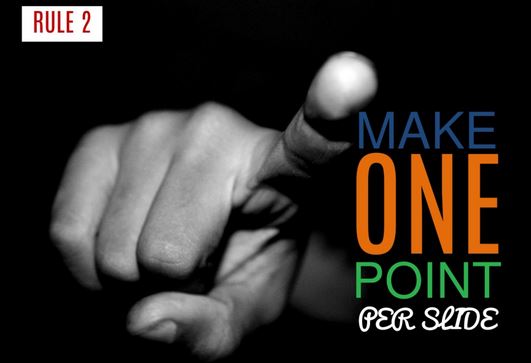
It's more effective to have more slides with fewer ideas on each one, than a few slides with lots of ideas on them.
Your audience can't focus on multiple ideas at the same time.
Rule 3 - No Bullet Points

When you use long lists of bullet points on slides, you're more likely to have too much text on a slide.
You're also more likely to read your slides.
Reading your slides is not an effective way of presenting.
Rule 4 - Keep It Simple

Get rid of everything that isn't essential to selling your idea.
Remember, your slides just support your ideas--they shouldn't contain all your ideas.
You should be saying lots of things that aren't actually written on your slides.
Get rid of "extra" things like animations and transitions.
 Reflecting on Presentations
You've probably seen lots of slide presentations that break at least one of the four rules listed above.
Which rule do you think is the most important and why?
Try to include examples from presentations you've seen or perhaps given yourself. Don't use any names though.

ACTION
Building the Assets
In the previous activity you came up with an idea for a video game. Now you want to choose game ideas to run with.
In your course culminating activity, you are going to create a pitch to deliver to a video game studio or group of investors to try to convince them to produce or finance your game idea. In order to create the pitch, you need to have chosen your game concept. You will also need to have assets you can present.
An asset is something that is useful or valuable. In the case of this pitch, an asset could be something like a design for the package of the game, or an example of the achievement system. Earlier in this activity, you and your classmates created a list of things you could show a group of investors to convince them to support your project. In this part of the activity, you are going to create three assets for your game based on the table below.
You must choose one option from column A, one from column B, and one from column C.
| Choice Board Choose one option from column A, one option from column B and one option from column C. |
||
|---|---|---|
|
|
|
|
| Complete a character sketch for protagonist and antagonist in your game. Include a description of their appearance, strengths, and weaknesses. | Design the cover of the box for your game. Include a description of how this design will appeal to your target audience. | Write a walkthrough for a level or particular quest in your game. You must include at least one image that gives the investors a sense of what it will look like. |
| Research the video game rating system and identify the rating your game would have, and explain why. | Design a series of badges for different achievements in your game. Include at least 5 different badges with descriptions of how the player earns them. | Write the script for a cinematic of the game (the movie-like scene that provides background information for the player but can’t be controlled by the player). Describe what the player will see and hear. Include an image that will give the producer a sense of what the scene will look like. |
| Identify and present some sound effects and music you would like to use in the game. Explain how and when they would be used. | Create an illustration of one of the settings in the game or one of the characters. Include a brief explanation of how the setting or character works in the game. | Create a detailed storyboard (at least 9 panels) that illustrates gameplay for a portion of the game including images and dialogue. This can be drawn by hand or you could create it digitally. |
 Asset Plans
Identify the idea you've chosen to work with and the three assets you are planning to create.
Identify any challenges you think you might face in creating these assets.
Include any questions you have about how to create the assets.
Be sure to follow the assessment criteria provided below:
| Checklist Items | |
|---|---|
| Assets are polished and professional. | |
| Assets give the audience a good understanding of the game. | |
| Explanations are clear and specific. | |
| Written assets are free from spelling, grammar, and punctuation errors. | |
| Word choice in explanations and written assets are appropriate for audience of your teacher and the investors and the purpose of pitching your game idea. |

CONSOLIDATION
Considering what you've learned about effective presentations, what are some suggestions you can offer to others about how they could present the assets they created in an effective slide presentation?
Remember the four rules you learned about:
- More images--less text.
- Make one point per slide.
- No bullet points.
- Keep it simple.
Sharing Suggestions
Create suggestions for effectively presenting your game's assets.
 Learning Goals and Success Criteria
 Learning Skills and Work Habits